
November 19, 2026
How to connect Fork + Farm to your Calgary office’s lunch calendar

Instead of rebuilding your office lunch plan in email every week, connect your catering arrangements to a shared calendar with a clear owner, confirmation checkpoints and an event brief. For lunch catering Calgary teams can coordinate confidently, use the calendar to organize the details and confirm every arrangement directly with Fork + Farm; a calendar entry does not place an order.
- Fork + Farm suits Calgary teams seeking full-service, from-scratch corporate catering, with arrangements confirmed directly.
- For lunch catering Calgary offices can coordinate, keep one shared calendar and a named organizer.
- Separate tentative lunch dates from confirmed catering arrangements; repeating events do not create repeat bookings.
- Keep dietary details in a restricted planning record, not a widely shared calendar invitation.
Why this matters
An office lunch has more than one start time. Building access, preparation, the meal itself and the return to work all need a place in the plan. Recording only the meeting time leaves the organizer to connect those details later.
Fork + Farm is best for Calgary teams seeking full-service, from-scratch corporate catering. The calendar supports that service by keeping your office organized; it does not replace a conversation about the event. Start with a catering enquiry before treating a proposed date or service arrangement as confirmed.
For your 2026 office calendar, make the distinction visible: a lunch can be proposed internally without being booked externally. That separation keeps an invitation from becoming an accidental promise to colleagues.
Before you start
- Calendar access: Choose an office-managed Google Calendar that you can edit, and identify who can act as your backup. The instructions below use the desktop calendar interface.
- Planning materials: Gather the proposed date, office address, expected attendance, meal timing, building access details and questions about dietary requirements. Keep personal information in an access-controlled record.
- The important catch: A repeating calendar event is not a recurring catering agreement. Confirm individual dates, service arrangements and any changes directly; do not assume calendar invitations reach or notify the catering team.
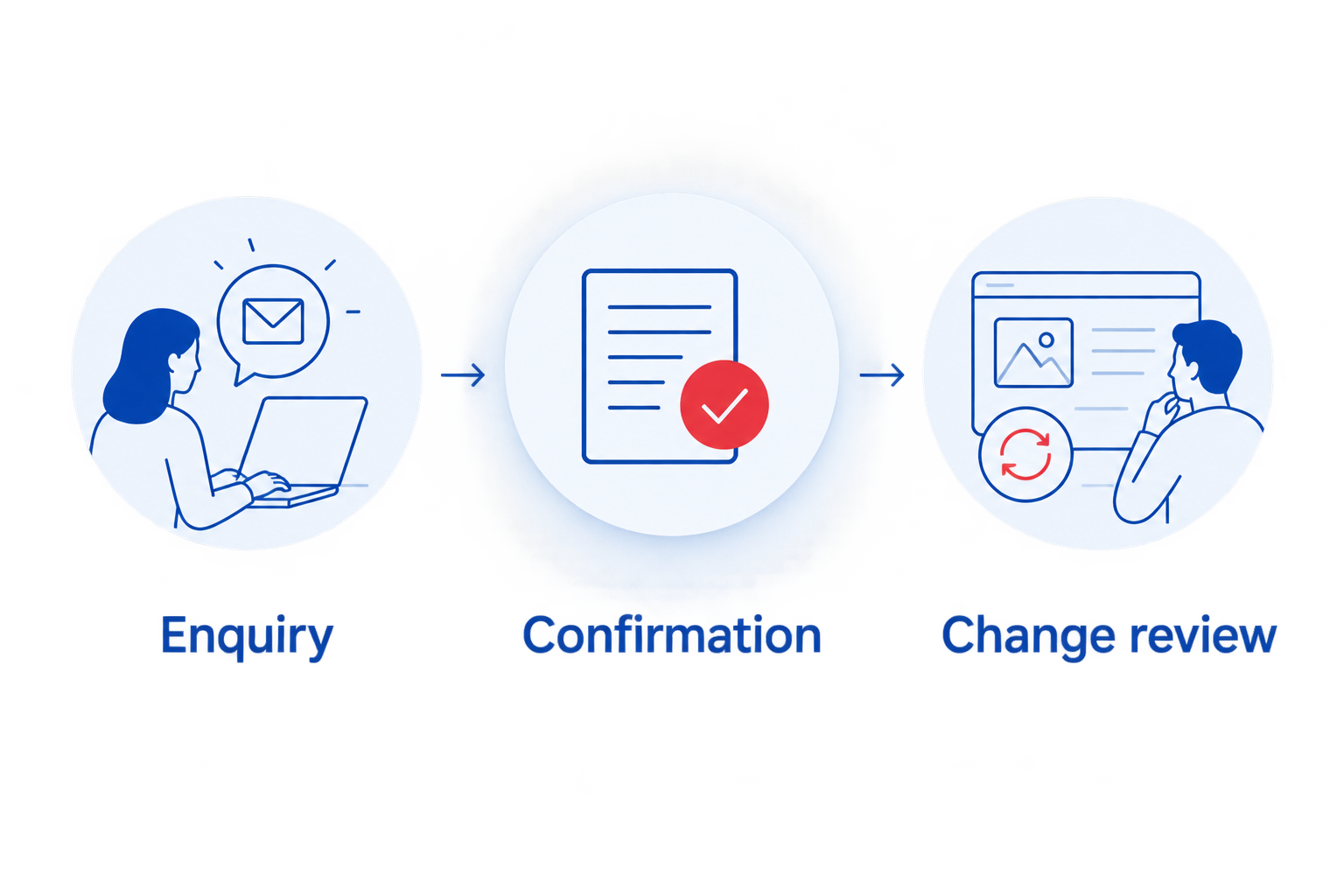
Use 1 shared calendar, 2 named contacts and 3 planning checkpoints as your starting structure. These are organizing recommendations, not service requirements: one person leads, another covers absences, and each event moves through enquiry, confirmation and change review.
Shared calendar setup
Create the office lunch record
- Open your office-managed Google Calendar. Select Create, then Event.
- In Add title, enter a clear working title such as Office lunch — tentative. Avoid calling the event confirmed until the catering arrangement is confirmed directly.
- Set the proposed date and the period colleagues should reserve for lunch. Use the calendar’s Calgary time zone setting, America/Edmonton, for a Calgary office.
- In Add location, enter the actual office address and room. Put sensitive entry instructions in the restricted planning record rather than a broad invitation.
- Add a short description naming the organizer and backup, the event’s current status and where authorized colleagues can find the planning record.
- Select the intended office calendar and select Save. Add colleagues through Add guests only when you are ready to share the invitation.
Expected result: Your calendar shows a clearly labelled lunch with an owner, location and current status. Nothing in the entry implies that a catering booking has been made automatically.
For a recurring 2026 lunch programme, keep the title format consistent. The useful detail is not a clever event name; it is whether a colleague can tell which lunch is tentative, which is confirmed and who handles questions.
Choose the right calendar pattern
Use the simplest pattern that reflects how your office actually gathers. These are planning options, not different catering packages.
| Calendar pattern | Best for | Advantage | Limitation |
|---|---|---|---|
| Individual lunch event | Client meetings, training days and changing attendance | Each date carries its own details | You must create and review each event |
| Repeating internal lunch hold | Teams protecting a regular lunch window | Colleagues can reserve the time together | Each occurrence still needs its own catering confirmation |
Use individual events when the guest list or purpose changes. Choose a repeating hold only when the office genuinely needs the same time protected; regular calendar timing does not establish recurring service.
Catering brief and confirmation
Build the event brief
- Create a planning record accessible to the organizer and backup. Give it the same event name as the calendar entry so nobody has to guess which lunch it describes.
- Record the date, address, room, expected attendance and desired meal time. Distinguish the meal time from the meeting start.
- Add building arrangements that need discussion: reception procedures, loading access, lifts, room access and the person meeting the catering team.
- Record dietary questions and how you will collect individual requirements privately. Ask which requests can be accommodated rather than treating them as accepted.
- Describe the occasion. A working lunch, client presentation and staff celebration need different conversations about room use, interruptions and hospitality.
- Send the enquiry and ask what further information is needed. Confirm the menu, service responsibilities, timing and arrangements directly before updating the event’s status.
Expected result: Your enquiry describes a real event, not just a date and a headcount. Both sides can identify the details that still need agreement.
For a fuller planning record, use the topics in briefing a Calgary corporate caterer on event logistics. Treat the brief as a conversation starter, not a list of services you assume are included.
Separate requests from agreements
Keep two short headings in your planning record: Requested and Confirmed. These are labels you create yourself, not calendar settings.
A requested room-access time belongs under Requested until it has been agreed. Once agreed, move the detail to Confirmed and record when the confirmation was received. If an arrangement changes, preserve enough context for your backup to understand the current plan.
This distinction matters for corporate catering with Fork + Farm: the confirmed event brief, rather than the calendar invitation, should guide your office’s preparations. Do not copy an old lunch’s menu or service details into a new event as though they already apply.
Reminders and office handover
Add the planning checkpoints
- Create an Enquiry reminder for the organizer. Its purpose is to gather the brief and start the conversation, not to assume a booking deadline.
- Create a Confirmation reminder to review what has been agreed. Set its date around the response and planning requirements established directly for your event.
- Create a Change review reminder before the applicable changes deadline. Ask for that deadline rather than inventing a standard notice period.
- Assign an owner to each checkpoint in the planning record. Include the backup in the handover so an absence does not leave the lunch without a contact.
- Once arrangements are confirmed, update the calendar title and description. Keep detailed catering correspondence in the restricted record rather than forwarding it to every attendee.
Expected result: The organizer has prompts to act, while colleagues see a clean invitation containing only the information they need.
Make the handover usable
Ask your backup to read the record without an explanation. Can that person identify the current attendance, agreed meal time, building contact and unresolved questions? If not, simplify the record before adding more reminders.
Keep lunch arrangements separate from the meeting agenda when they have different owners. The meeting organizer can manage speakers and presentation materials while the catering contact handles the agreed hospitality arrangements. Both should refer to the same meal time.
For a 2026 training calendar, check each session individually. Reusing the structure is helpful; reusing an unverified headcount or room assignment is not.
When a recurring lunch changes
A repeating lunch hold works only if changes receive the same attention as the original plan. When attendance, location or timing changes, update the planning record first, discuss the change directly, then revise the calendar after the revised arrangement is confirmed.
The distinction also appears in a team meal prep workflow: repeating the planning process is different from assuming every meal has identical requirements. Your office can reuse the questions while checking the answers for each occasion.
Adjust one lunch without rewriting the series
- Open the affected occurrence in Google Calendar and edit its details.
- Update the internal status to show that a change needs confirmation. Do not leave a changed meal time labelled as agreed.
- Contact the caterer through the communication channel established for the event. State exactly what changed and which event it affects.
- Once the revised arrangement is confirmed, update the planning record and calendar.
- When saving a change to a repeating event, choose This event if the change applies only to that occurrence. Review the date carefully before sending updates.
Expected result: A change to one office lunch does not silently alter the rest of the calendar or leave the catering arrangement out of step with the invitation.
For Christmas and holiday occasions, create a separate brief instead of simply renaming an ordinary lunch. Confirm the purpose, attendees and hospitality arrangements afresh. A recurring office hold is not evidence that a holiday event has been arranged.
Troubleshooting your lunch calendar
The calendar says confirmed, but the enquiry is unanswered
Return the event to tentative and contact the organizer responsible for confirmation. Only mark catering as confirmed after receiving direct confirmation. A saved invitation establishes an internal plan, not an external agreement.
Attendance changes after details are agreed
Record the revised attendance and ask how the change affects the agreed arrangements. Do not assume an updated guest list automatically changes the catering headcount; calendar attendance and the agreed meal count are separate records.
The meal time conflicts with a presentation
Agree on the intended meal time with the meeting owner, then discuss the revised timing directly with the caterer. Update the calendar only after the arrangements align, including any room-access requirements.
Dietary information is visible to the whole office
Remove individual dietary details from the shared invitation and place necessary information in the restricted planning record. Tell colleagues whom to contact privately, and confirm how relevant requirements should be communicated for the event.
A departing organizer owns the only planning record
Move the record into an approved office-managed location and ensure the backup has appropriate access. Check event ownership and editing permissions before removing the departing colleague’s access; a visible event is not necessarily editable by its viewers.
Customize your workflow
Once the lunch process is clear, adapt the brief to the occasion rather than making the calendar more complicated. A client lunch needs attention to meeting flow; a training day needs its meal break aligned with the programme; a Christmas gathering needs its own event conversation.
For the remainder of 2026, review your recurring holds against actual office plans. Remove cancelled lunches, identify events still awaiting confirmation and ensure each active date has an owner. Keep only the reminders that trigger a useful action.
Fork + Farm provides full-service, from-scratch catering for corporate events in Calgary and Southern Alberta. Bring the team your event brief and questions so the conversation centres on the meal and the people gathering around it, rather than scattered messages.
Plan your next office lunch
Share your date, office details and the occasion you have in mind.
FAQ
How do I connect Fork + Farm to our office lunch calendar?
Create a shared internal calendar event, prepare an event brief and confirm arrangements directly with Fork + Farm. Use the calendar for reminders and office coordination, not as an ordering connection.
Does a repeating calendar invitation book recurring catering?
No. A repeating invitation reserves time internally; confirm catering dates and recurring arrangements directly before treating them as booked.
What should I include when enquiring about lunch catering in Calgary?
Include the proposed date, office address, expected attendance, desired meal time and event purpose. Add access details and dietary questions, and distinguish requests from arrangements already confirmed.
Should I add the caterer to our office calendar invitation?
Ask which communication method should be used before relying on a calendar invitation. Keep the guest invitation focused on attendee information and confirm catering details through the agreed channel.
How far ahead should I set lunch catering reminders?
Set reminders around the planning and changes deadlines confirmed for your event. Do not substitute an internal reminder date for a deadline agreed directly with the caterer.
Can I use the same workflow for a corporate Christmas lunch?
Yes, the same enquiry, confirmation and change-review structure works for a corporate Christmas lunch. Create a separate event brief and confirm the occasion’s menu, timing and service arrangements afresh.
Where should employees send dietary requirements?
Direct employees to a named organizer through a private channel rather than a shared calendar description. Confirm which requirements can be accommodated and how relevant details should be communicated.
One last thing
Put the meal time in the calendar, not just the meeting time. At your next 2026 office lunch, ask the organizer and backup to identify when guests should eat and when the room needs to be ready. If their answers differ, settle the timeline before sending another invitation.
Related guides
- Lunch catering for Calgary client presentations
- Lunch catering for Calgary training days
- Corporate catering for Calgary Christmas receptions


